
Template directions
Different looks for the same organised website system
Choose a polished visual direction for your site, then adapt colours, fonts and approved layout parts while your work, pages, updates and contact details stay organised underneath.
One system, different creative needs
Armature templates are visual directions, not separate products or fixed themes. Your projects, posts, pages and contact details stay structured in the same way, while each template changes how that content is arranged, emphasised and styled.
Structured content
Projects, posts, pages and contact details stay organised in predictable places.
Curated presentation
Templates shift emphasis between biography, image-led work, publications, services, updates and calls to action.
Safer editing
Clients can update content and choose approved design options without breaking the site.
Available template directions
Each direction is designed around a different kind of creative site, from calm solo-creator pages to editorial projects, image-led portfolios and small studio practices. The template changes the presentation; the Armature system underneath stays the same.
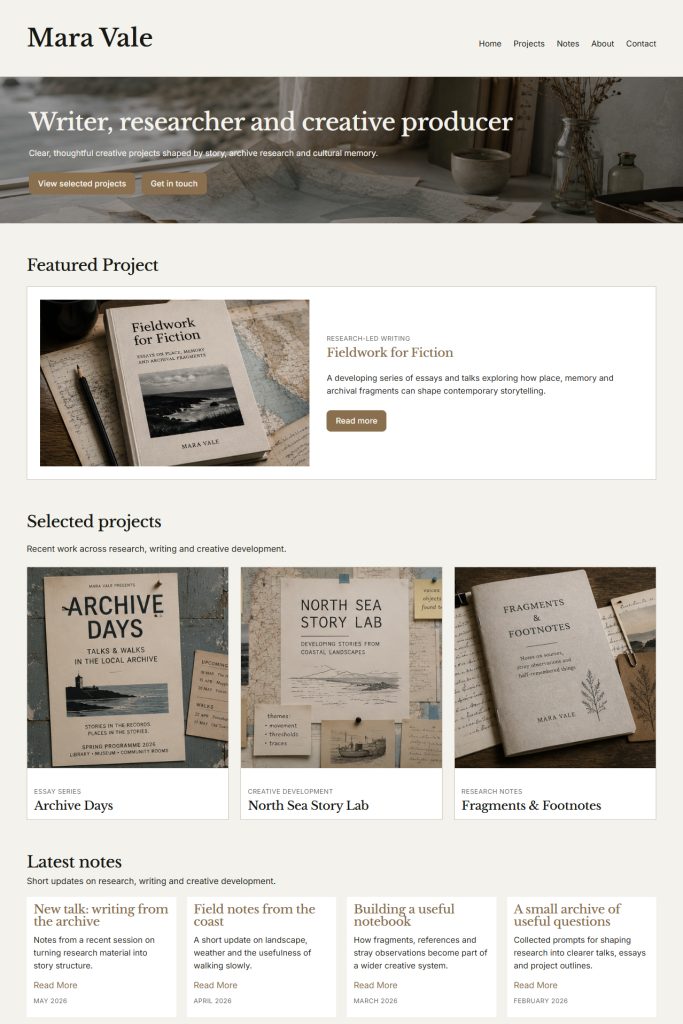
Default
A calm, flexible direction for clear introductions, selected work, updates and contact. Default is the balanced starting point: polished, readable and easy to adapt without feeling overdesigned.
Best for:
Writers, solo creatives, small creative practices and straightforward professional sites.
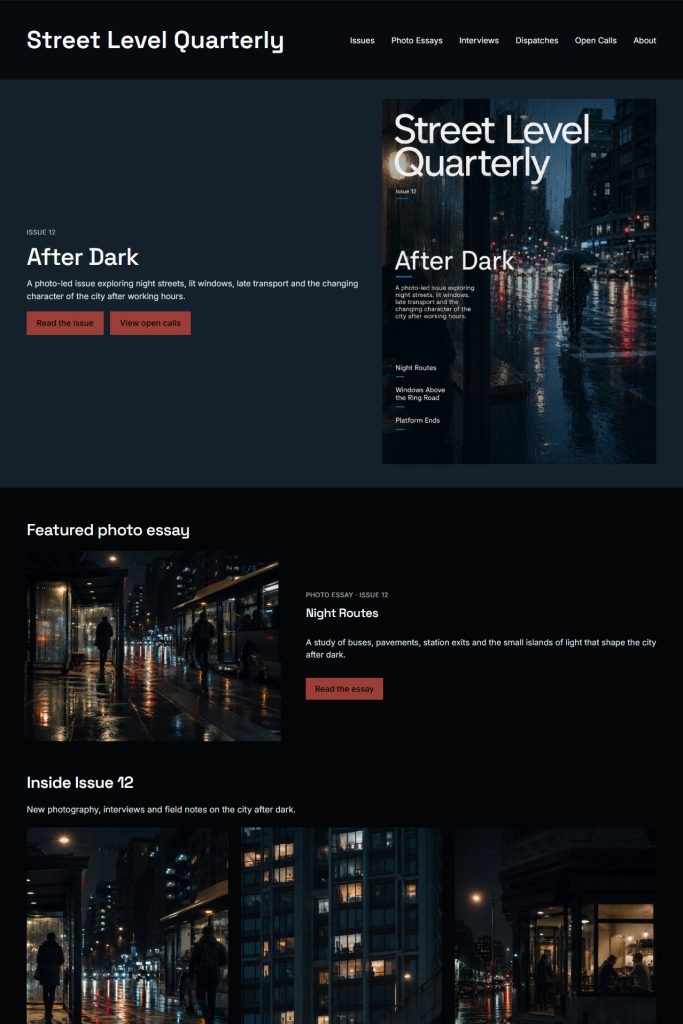
Editorial
A stronger editorial layout for sites with articles, issues, essays or regular updates. Editorial gives written content and news more presence while still supporting selected work and clear calls to action.
Best for:
Publications, writers, magazines, comics creators and story-led projects.
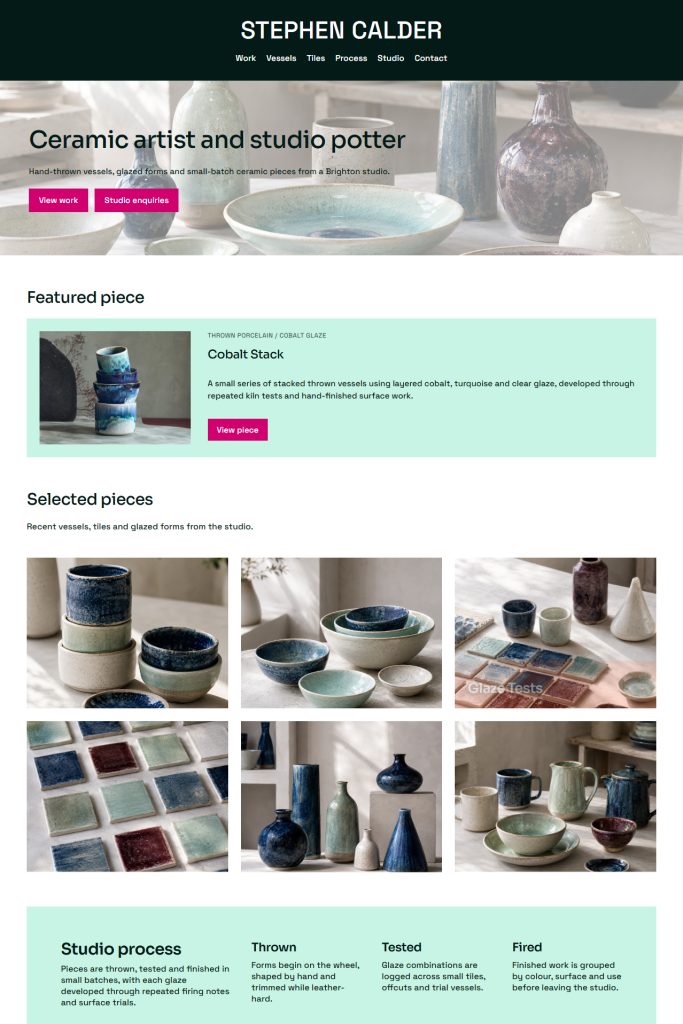
Portfolio
A visual-first direction built around large images and quick browsing. Portfolio puts the work up front, with cleaner grids, stronger image crops and less emphasis on supporting copy.
Best for:
Artists, makers, photographers, illustrators and image-led portfolios.
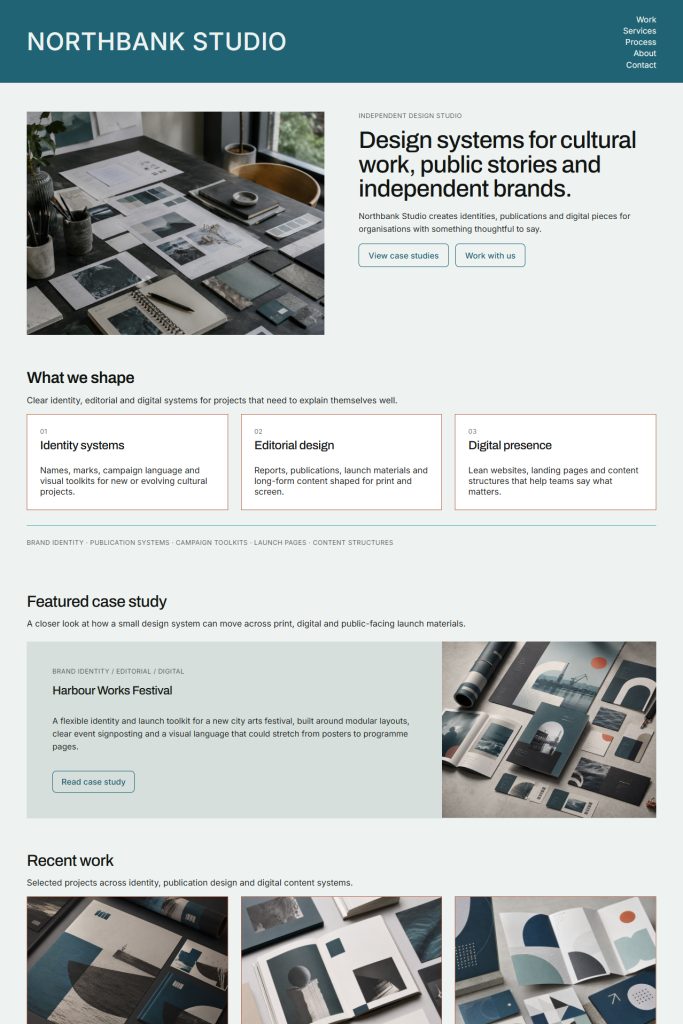
Studio
A structured layout for services, case studies and professional practice. Studio is suited to creatives who need to explain what they do, show selected work and guide enquiries clearly.
Best for:
Design studios, creative teams, multi-practice creators and small creative businesses.
Flexible enough to feel personal, controlled enough to stay safe
Armature gives each site room to feel distinct without becoming fragile. Choose a base template direction, switch approved template parts, and tune colours, fonts and button styles while the content model stays protected.
- Choose a base template direction
- Use approved header, footer and section styles
- Tune palette, font pairing and button style
- Keep projects, posts, pages and contact details organised
- Refresh the presentation later without rebuilding the site
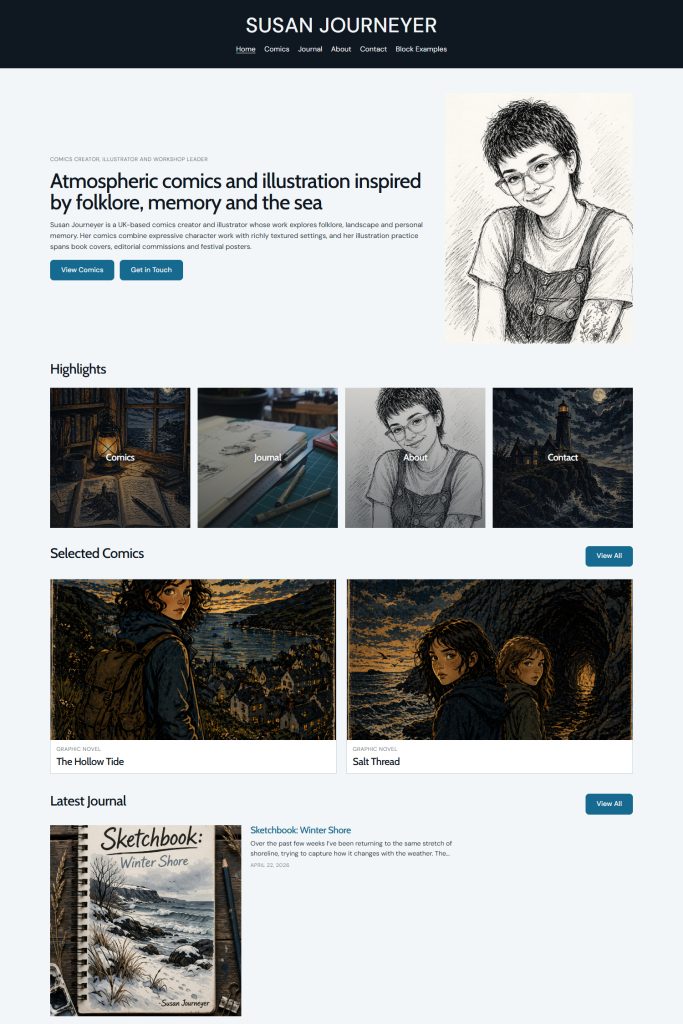
See the templates in context
The Susan Journeyer demo site shows Armature working as a polished creator website, with projects, updates, contact routes and structured pages in place. It is a useful way to see the system beyond cropped template screenshots.
Ready to stop wrestling with your website?
Tell us what you’re building, what your website needs to do, and whether you’re starting from scratch or replacing something that no longer works for you.